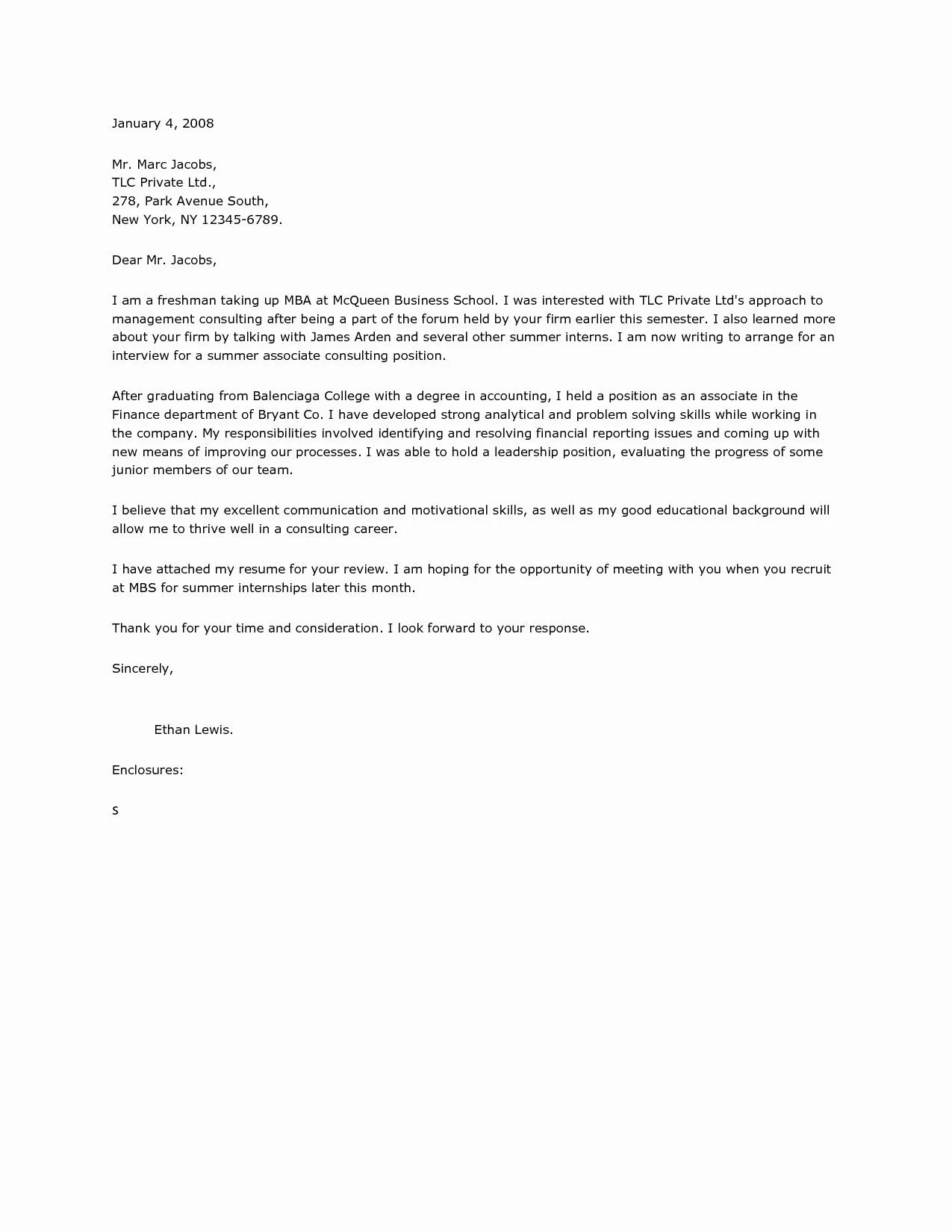
What is a Cover Letter Enclosure?
A cover letter enclosure refers to the documents that you are sending along with your cover letter and resume as part of your job application. These enclosures can significantly strengthen your application by providing additional information or showcasing your skills and qualifications. It’s a way to provide the hiring manager with everything needed for a comprehensive assessment of your suitability for the role. The purpose of these enclosures is to offer supplementary details that support your claims in the cover letter and resume. For instance, an enclosure could include a writing sample if you are applying for a writer position. Alternatively, if the job requires a design portfolio, you may send that as an enclosure. The aim is to ensure that the hiring manager has access to all the relevant materials to make an informed decision about your candidacy.
Types of Documents to Enclose
Several types of documents are commonly included as enclosures. Resumes are essential, providing a detailed history of your employment, education, and skills. Cover letters, though often considered separate, are frequently accompanied by enclosures. Another frequent inclusion is a portfolio, essential for creative roles, demonstrating past projects and abilities. Additionally, writing samples are vital for writers and journalists, proving your capacity to communicate effectively. Furthermore, transcripts from educational institutions might be needed to verify your qualifications and academic record. Certificates and licenses that support your expertise, such as certifications for specific software or professional licenses, are also often included. Letters of recommendation from former employers or professors add credibility to your application and offer insights from others. Finally, any other documents specifically requested in the job posting should be added.
Formatting Your Cover Letter Enclosure Section

The enclosure section of your cover letter requires a precise and professional format. Typically, it appears at the end of your cover letter, directly above your name and signature. You can use the term ‘Enclosure’ or ‘Enclosures’ followed by a colon. If you are enclosing a single document, the format is ‘Enclosure Resume’. If you are including multiple documents, you should list each item. The format would then be ‘Enclosures Resume Writing Sample Portfolio’. Make sure all enclosures are clearly labeled, either on the document itself or in the naming conventions. This helps the hiring manager quickly identify each included document. The goal is to make it as easy as possible for the recipient to find and review all the essential information. Ensure you place the enclosure section right before your signature block. This location provides a neat and standard way to indicate the attached documents, facilitating a streamlined review process for the hiring manager and showing a keen eye for detail.
How to Mention Enclosures in Your Cover Letter
Mentioning enclosures in your cover letter isn’t just about listing them at the end; it is also about seamlessly integrating them into your content. Early on, state which documents you’re including, such as your resume. Throughout your letter, allude to the enclosures to give context. For example, if you mention a specific achievement, you might then state, ‘Details of this project can be found in my attached portfolio.’ This helps the reader understand why certain documents are important and encourages them to read them. Also, directly reference the enclosures in your closing. After expressing your gratitude, summarize what you’ve included. A concise statement like, ‘I have attached my resume and writing sample for your review,’ is clear and direct. This reinforces what you have sent and ensures the reader knows exactly what to expect. It is about creating a cohesive application where each part supports the others.
Best Practices for Cover Letter Enclosures
Following best practices for enclosures ensures your application is as professional and effective as possible. Ensure all documents are in a universally accepted format like PDF to maintain the formatting. Keep the files named in a clear and consistent manner, for instance ‘FirstName_LastName_Resume.pdf’. Always proofread every document carefully before sending them, and make sure everything is error-free. Match the enclosures to the job description. Tailor the included documents to show that you directly meet the job’s requirements. Don’t add unnecessary information that might distract the hiring manager. Also, make sure that your contact information is consistent across all enclosures, including your name, phone number, and email. This makes it easy for recruiters to contact you. Finally, always double-check that all the attachments have been included before submitting the cover letter. This is a critical step to ensure your application is complete.
Common Mistakes to Avoid with Enclosures

Many mistakes can undermine the impact of your cover letter enclosures. One is omitting to mention the enclosures in the letter. Failing to refer to the attachments leaves the recipient wondering why the extra documents were included. Another common error is sending the wrong files. Always verify you are sending the correct version of your resume, portfolio, or any other documents. Also, avoid sending files that are too large. Large files can be difficult to download and open, or may be blocked by the receiving server. Avoid using obscure file formats. Ensure all your documents are in standard formats, like PDF. Another mistake is neglecting to tailor the enclosures to the job. Sending a generic resume or portfolio instead of one customized to the job requirements makes your application less impactful. It’s also important to avoid typos, inconsistencies, and outdated information in any attached documents.
Cover Letter Enclosure Examples and Templates
Using examples and templates helps you format your cover letter enclosures effectively. For a single enclosure, you might end your letter with the following: ‘Enclosure Resume’. If there are multiple documents, the formatting should list each item. For example, ‘Enclosures Resume Writing Sample Portfolio’. You can also customize the wording to specifically mention your achievements. For instance, ‘I have attached my resume which details my experience in project management, and a portfolio containing examples of my work.’ Remember to adapt these templates to the specific job. For a creative role, your cover letter enclosure examples would include links to your portfolio. When applying for a research position, you could include a research proposal. These templates provide a starting point, so always personalize them to suit your unique application and make sure your approach is tailored to the specific job.
Benefits of Including Enclosures with Your Cover Letter
Including enclosures with your cover letter provides distinct advantages that can set your application apart. It allows you to showcase a broader range of your qualifications. Resumes offer a general overview, but enclosures like portfolios, writing samples, or project reports, offer concrete evidence of your skills. Enclosures give you the opportunity to elaborate on your accomplishments. You can use them to provide greater detail about projects you have worked on, highlighting your impact and outcomes. They give the hiring manager a clearer view of your abilities. Moreover, enclosures show that you are detail-oriented and thorough. It reflects a willingness to go the extra mile, demonstrating your commitment to the job. By providing this extra information, you offer the recruiter a more complete picture of your potential value to the company, thereby increasing your chances of getting noticed and getting an interview.
Ensuring Your Enclosures are Accessible

Ensuring that your enclosures are accessible is essential for every applicant. Start by using a widely compatible file format like PDF. This will ensure your documents open correctly on any device, and the formatting will remain consistent. Next, name your files in a clear and descriptive manner. Using a naming convention such as ‘FirstName_LastName_DocumentType’ makes it easier for the recruiter to identify and organize your documents. Make sure all the files are easy to open. Test to see whether the files open quickly and correctly on various devices. Keep file sizes reasonable to prevent issues during download or opening. Finally, you must always ensure the content is accessible. Proofread every attachment to eliminate any grammatical or spelling mistakes. Ensure that all the information is easy to read. By making your enclosures accessible and easy to review, you improve the recruiter’s ability to properly assess your application, which ultimately increases your prospects of success.